How to copy your Swing Catalyst database from one computer to another.
Introduction
This article describes how to copy the students and recordings made in Swing Catalyst from one computer to another computer, for example when upgrading to a better computer.
Preparation
Make sure Swing Catalyst is installed on the computer you are copying the database to.
Ensure you have enough room on a USB stick or external hard drive to fit the database + database file.
Exporting all recordings
Open Swing Catalyst and navigate to your database.
Click on “Export” then select “Export All Recordings”
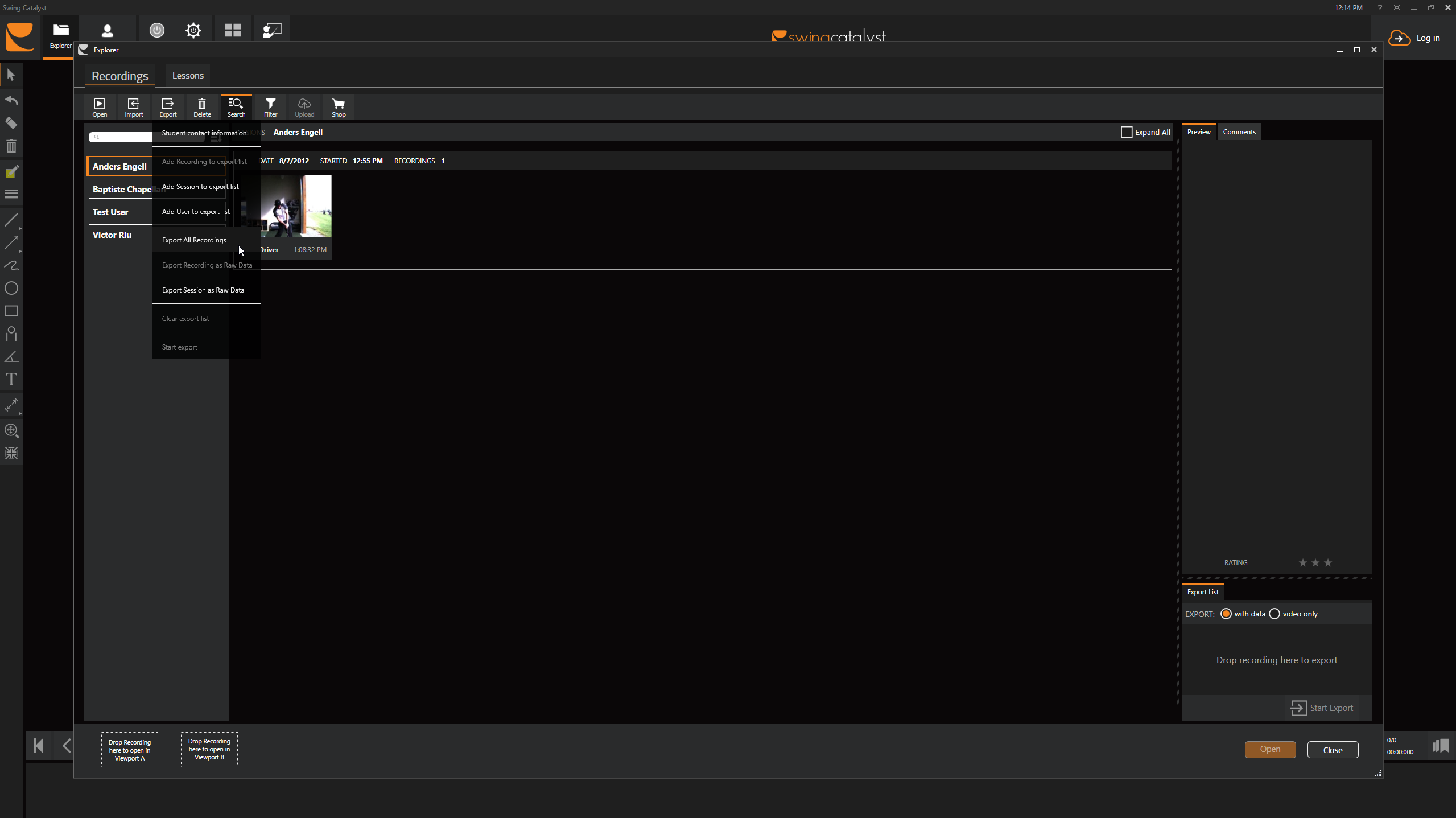
Select where you want to export, such as a USB thumb drive or external hard drive.
Connect your USB thumb drive or external hard drive to the new computer. Go to import and “Import recordings from folder” you can import the main folder or individual users folders as needed.