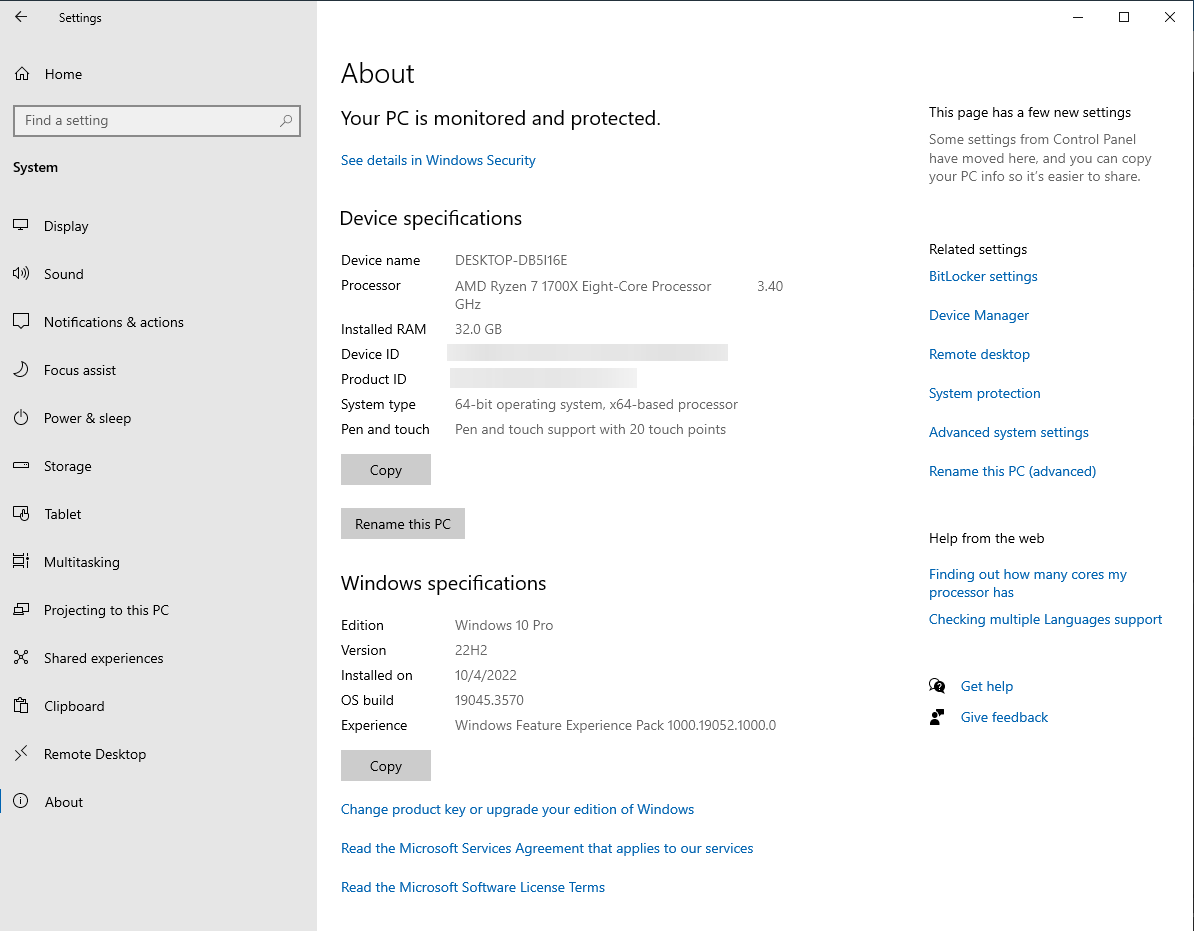
How to find your computer specifications
Introduction
This article explains how to find a summary of your computer’s specifications.
Applies To
Determine if your computer holds up to our recommended computer specifications.
If you need to provide information about your computer to our support crew.
Related Topics
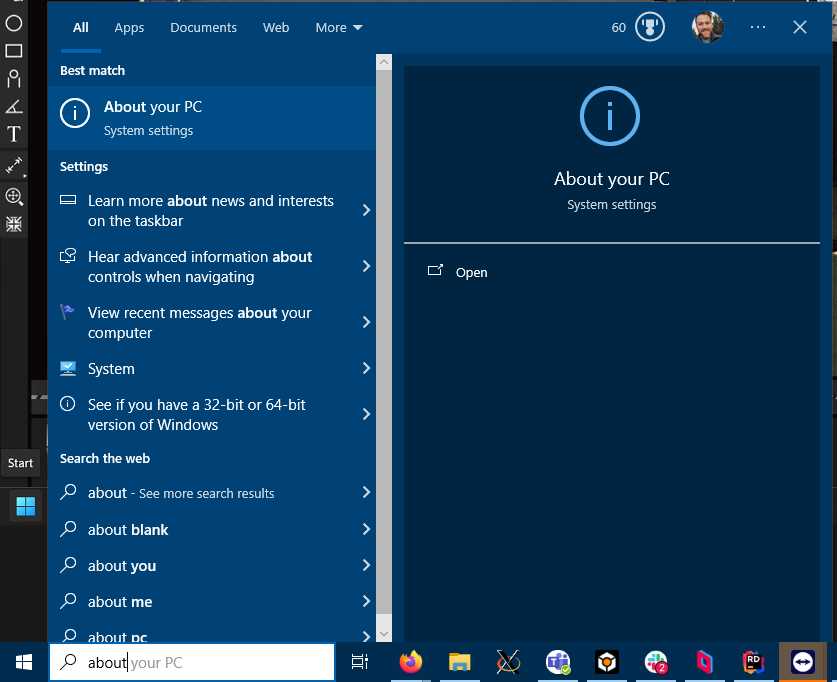
To find your computer specifications, click the start menu in Windows and write: “about your pc”.
The first result should be “About your PC”.
Device specifications can be seen below.