
Remove Pressure Sensor Noise (Zero Set Calibration)
Introduction
This article explains the zero set feature for pressure sensors, available in Swing Catalyst 25.3 and newer. This tool helps improve sensor accuracy by removing background noise.
Important Note: The zero set functionality is a software-based correction and not a substitute for a proper calibration as recommended by the sensor manufacturer. While it effectively removes noise, it does so by slightly reducing the sensor’s dynamic range.
Furthermore, the calibration file(s) needed for Sensor Edge sensor plates is completely separate from this functionality, this zero set feature does not negate the need for a calibration file.
If you need the calibration file for your sensor plate please see: How to install Dual Pressure Plate and Balance Plate calibration & diagnostics , a calibration (mxd) file is required in order to be able to utilize the zero set feature.
How It Works
The zero set feature establishes a baseline reading from the sensor when it is unloaded (no one is standing on it). This baseline captures any noise or minor residual pressure readings from the sensor itself. This baseline is then subtracted from all future raw sensor data, effectively “zeroing” out the noise.
The corrected data is then used throughout the entire analysis pipeline, ensuring that measurements like Center of Pressure (CoP) are as accurate as possible.
How to Use the Zero Set Feature
You can initiate the zero set process from two locations in the software. Both methods achieve the same result. This assumes you have connected your sensor plate(s) and that it’s properly detected by Swing Catalyst.
Method 1: From Hardware Settings
Note: If you have a Motion Plate or Dual Motion Plate this will also perform a zero set of the force plate(s).
Navigate to the main Settings menu.
Go to the Hardware section.
Make sure nothing is on the sensor and then click the “Calibrate” button.
Follow the on-screen instructions, which will prompt you to ensure the plate is empty before capturing the new baseline.
Method 2: From the Sensor Plate Settings window
From the Sensor Plate Settings window, go to the Stance Sensor tab
Click the “Set Baseline” button.
Follow the on-screen instructions to capture the new baseline.
Managing the Zero Set Baseline Calibration
If you need to clear or remove the current zero set baseline, you can do so from the Sensor Plate Settings window. Look for an option like “Clear Baseline”. This will stop the software from applying the correction.
Automatic Storage: Once a baseline is captured, it is stored locally on your computer. The software will automatically load and apply the correction the next time you start Swing Catalyst, so you don’t need to perform the zero set every time unless your sensor conditions change. Note that this is unique for each device.
Similarly, if you wish to permanently remove the zero set baseline, this can be done by clicking “Clear Baseline” and then clicking “Yes”.
By using the zero set functionality, you can ensure cleaner data and more reliable analysis from your pressure sensor.
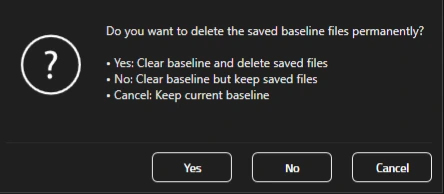
Clear or removal options when clicking “Clear Baseline” from Sensor Plate Settings
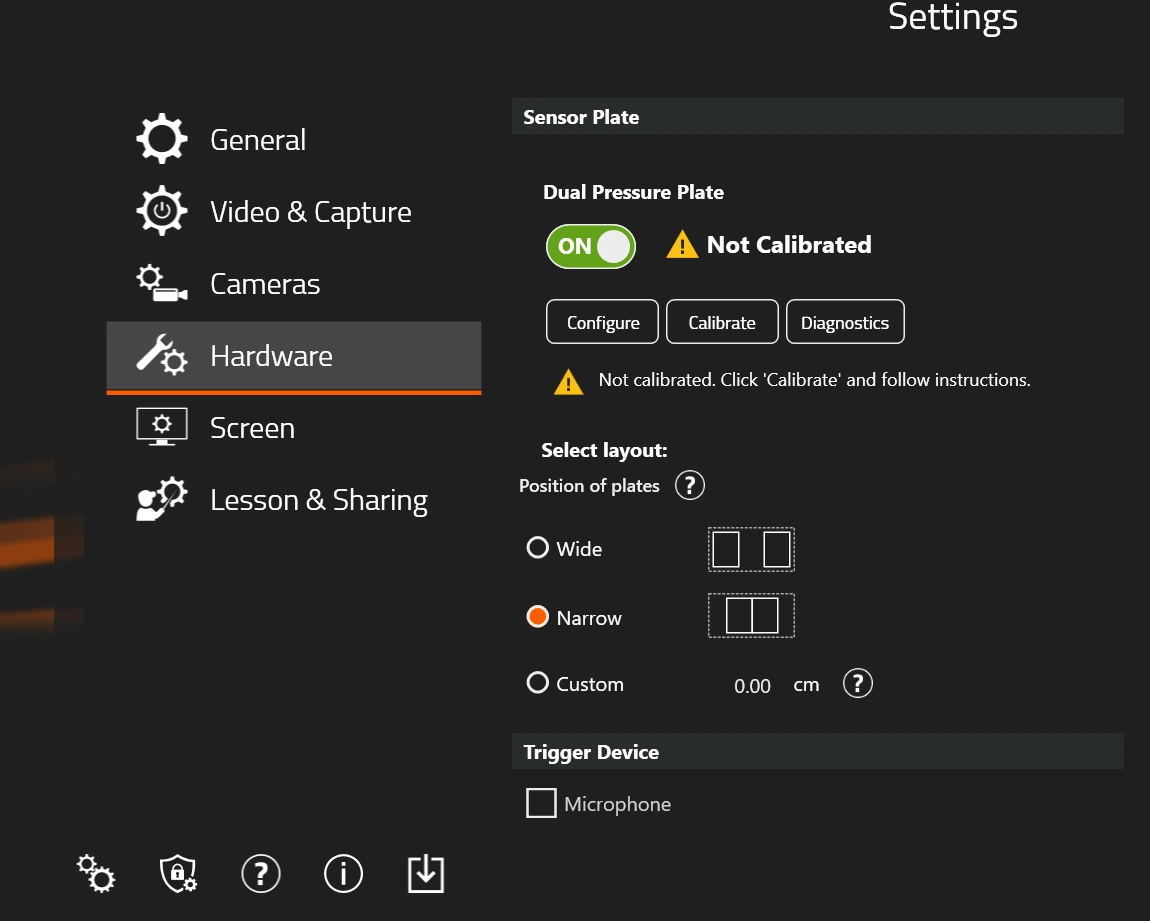 This Dual Pressure Plate does not have a zero set calibration (yet).The status of the zero set calibration is now reflected in Settings. If there is no baseline recording at all it will show “Not Calibrated”, please note that this doesn’t mean there is anything wrong, it simply indicates there hasn’t been any calibration performed.
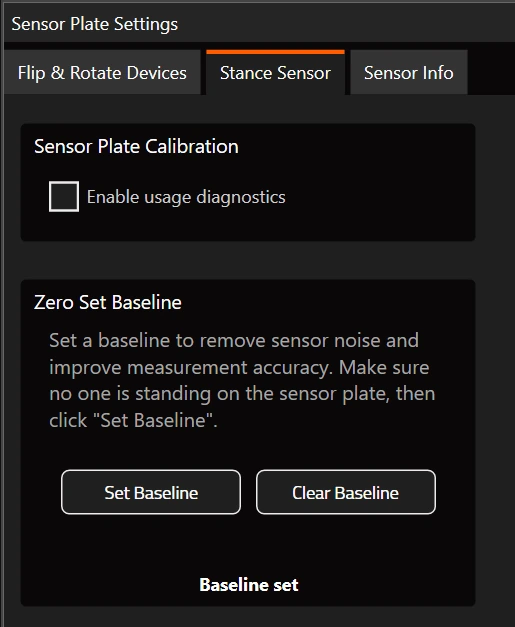 The Stance Sensor tab has functionality to set a new baseline or clear any existing zero-set baseline calibration
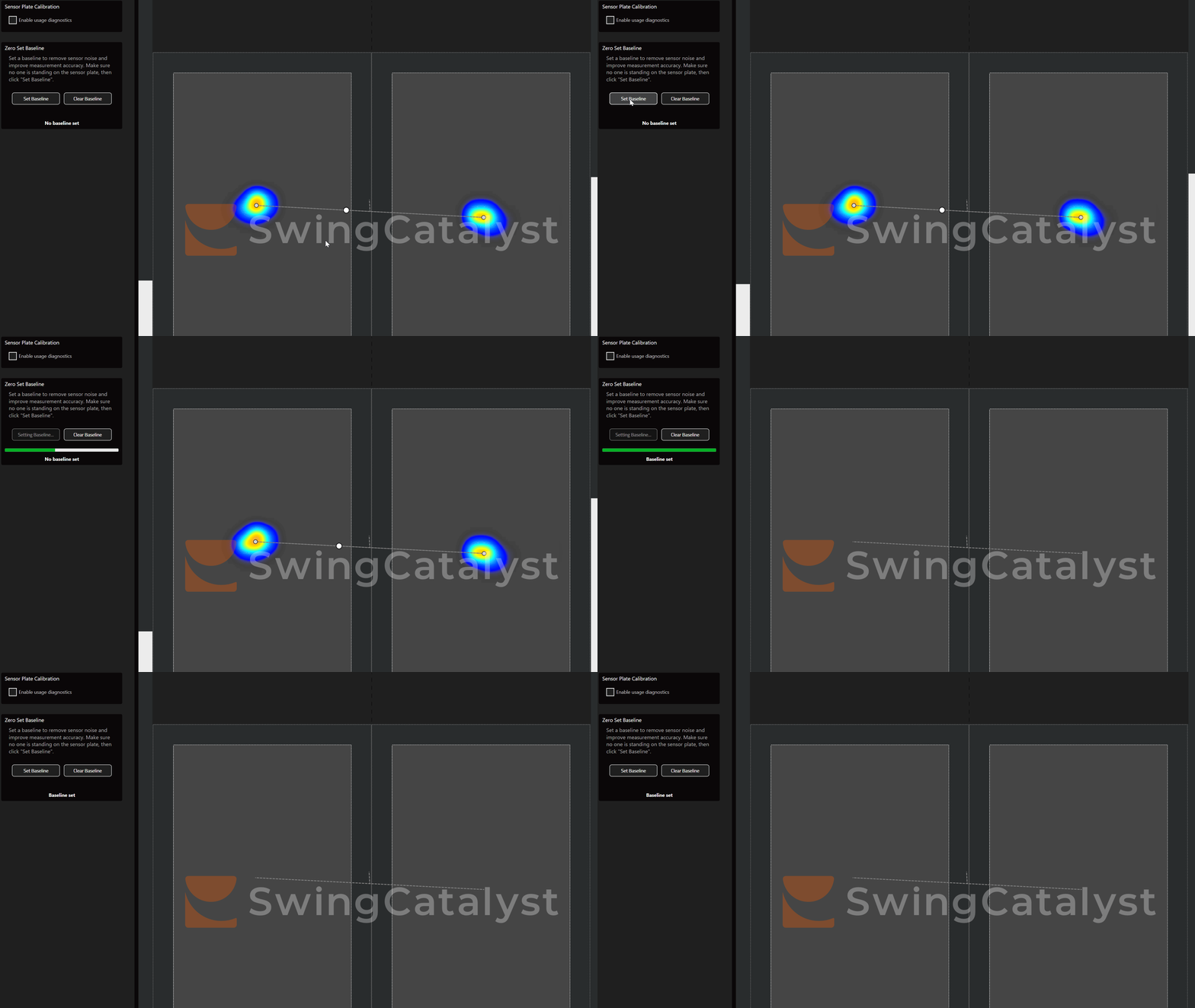 The noise is removed by capturing a baseline which is used to apply a correction to new pressure samples
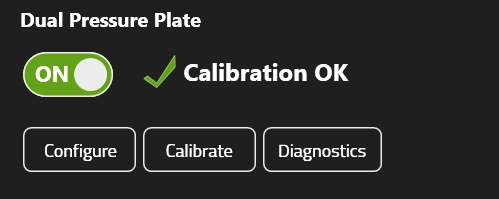 “Calibration OK” means that a zero set calibration exists for this sensor and is automatically applied
Last updated: 2026-02-16